Squall · Apple Watch
The Watch, page by page.
Laid out like Apple’s Workout app, so it already feels familiar: controls on the left, the run in the middle, music on the right, and more detail a turn of the crown away. Pace and how far off target you are stay in view on every page.
The Watch is optional. Your iPhone records the run and talks you through it on its own; the Watch adds heart rate, and the session on your wrist.
01 · The main page
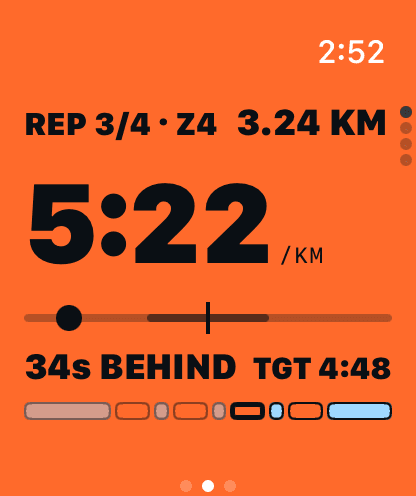
On a rep, the whole face is the zone.
Pace now, big enough to read mid-stride. Below it, the pace line: the target is the centre tick and you’re the dot. Left of the tick is behind, right is ahead.
- Ahead / behind
- In seconds per km against the rep's target, with the target beside it.
- Top line
- Which rep of how many, its zone, and distance so far.
- Session bar
- The whole session along the bottom: warm-up, every rep in its zone colour, recoveries and cool-down.
02 · Recovery
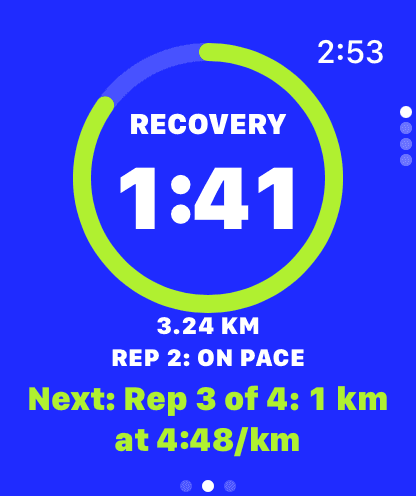
Between reps, it goes calm.
When a rep ends the face switches to recovery by itself: cobalt, with a lime ring running down around the time left.
- Last rep
- How it went, in one line: on pace, ahead or behind.
- Next rep
- Spelled out before it starts: which rep, how far, at what pace.
03 · Steady runs
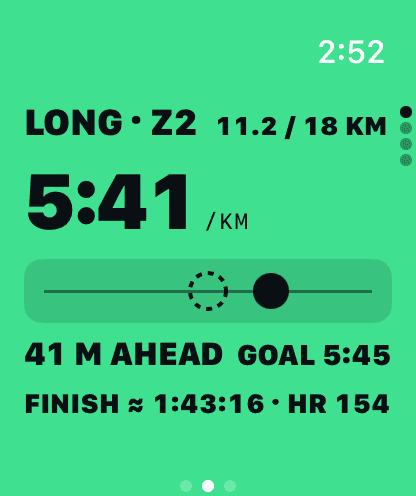
You against your goal pace.
Long and easy runs swap the pace line for a lane: a dashed runner holding your goal pace, and you as the dot.
- The gap
- In metres: how far ahead or behind a runner who has held your goal pace since the start.
- Finish
- Your time so far plus the distance left at goal pace.
- Heart rate
- On the bottom line, beside the projected finish.
04 · Turn the crown
More detail, one turn away.
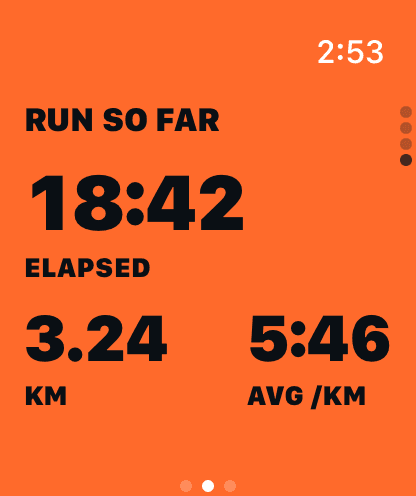
The main page stays simple. Turn the Digital Crown for the numbers behind it, each page in the colour of the zone you’re in.
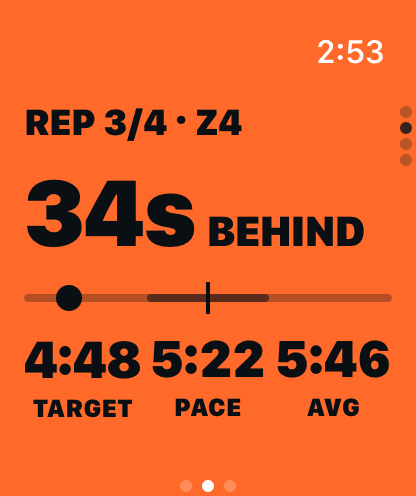
- Gap
- How far off target you are, large, with target, pace now and average pace underneath.
- Heart rate
- Your heart rate and its zone, time in each zone, and what's next in the session. The page fills with your heart rate's zone colour.
- Run so far
- Elapsed time, distance and average pace.
05 · Left and right
Controls on the left. Music on the right.
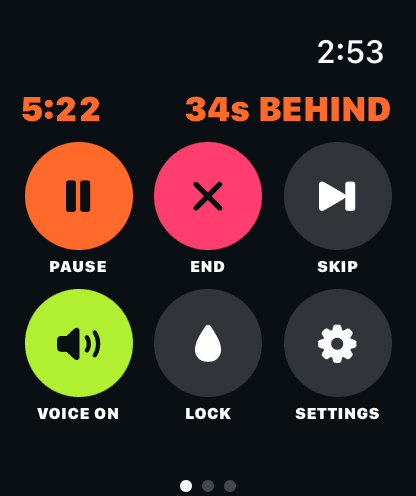
Swipe right for the controls. Pace and how far off target you are stay across the top, so you never lose the run.
- Pause · End
- Stop for a moment, or finish the run.
- Skip
- Move on to the next step of the session.
- Voice
- Turn the spoken cues on or off.
- Lock
- Water lock, for rain and sweat.
- Music
- Swipe left for Apple's own Now Playing. Squall's voice cues lower the music while they speak, then bring it back.
About these screens
These are captures from a Squall test build on the Apple Watch simulator, with sample training data; the time in the corner is the simulator’s. The Watch app is in testing and may still change before release.
Beta · iPhone and Apple Watch
Get the forecast first.
Squall is in testing. Leave your email and you’ll get one note when the beta opens.
Coming soon to iPhone and Apple Watch